

Hospitality

Live

QR Table

Digital menu via QR code

Guests scan the QR code on the table and see the menu straight away in the browser – no app needed. The team manages dishes, prices and availability centrally and takes orders on the phone.

For whom
Restaurants, cafés and bars
Offer
Subscription from €19.90 net per month · 14-day free trial
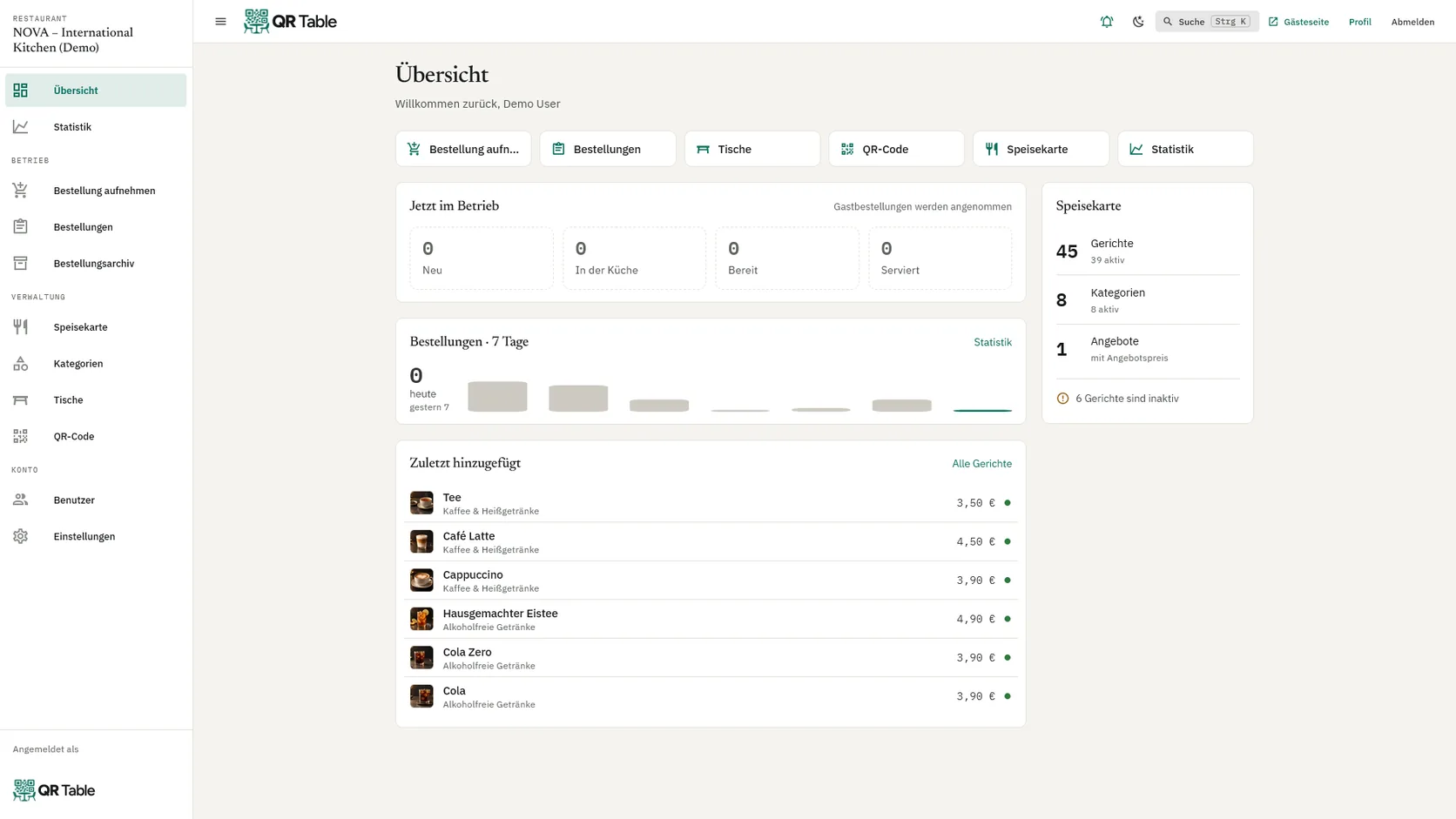
QR Table admin area with an overview of current orders, the menu and recently added dishes

Overview

What QR Table covers

  • Manage the menu centrallyMaintain dishes, categories, images, prices and information in one place.
  • Changes online instantlyNo reprints and no outdated PDFs – changes are visible right away.
  • MultilingualChoose from 25+ languages. Guests pick their language themselves.
  • Ordering at the tableWaiters take orders on their phone, the kitchen sees everything on the board.
  • Call a waiterGuests call for service via the table QR code; the team sees the table and waiting time.
  • Allergens & variantsAllergens, attributes, sizes and variants with their own price right on the dish.

Menu

Dishes, categories and prices in one place

The menu is maintained in the admin area: with images, allergens, sizes and variants. Changes are visible to guests immediately.

  • Categories and dishes with images
  • Allergens, halal labelling and attributes
  • Sizes and variants with their own price
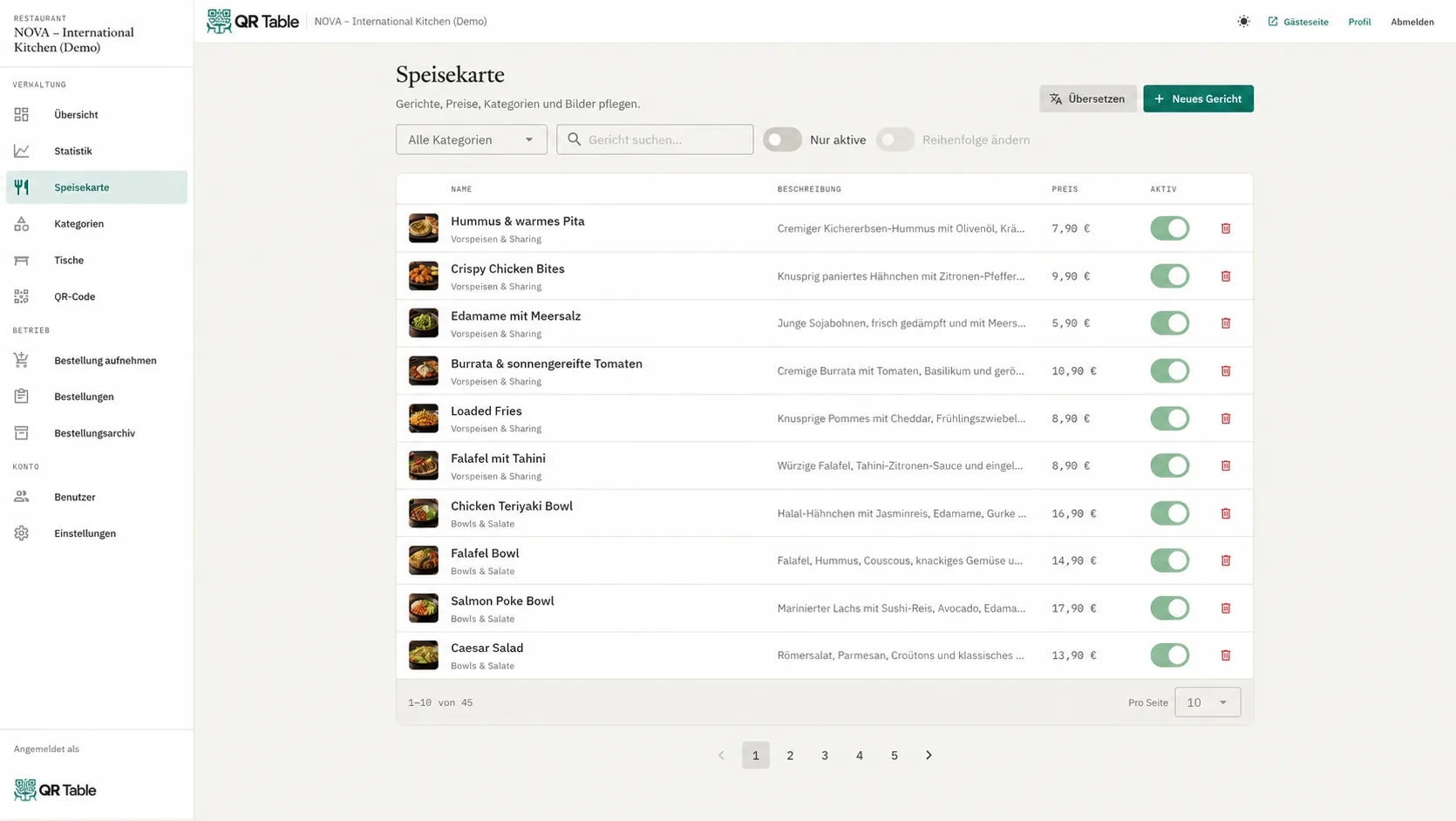
Menu management in QR Table with categories and dishes

For guests

The menu right at the table, no app

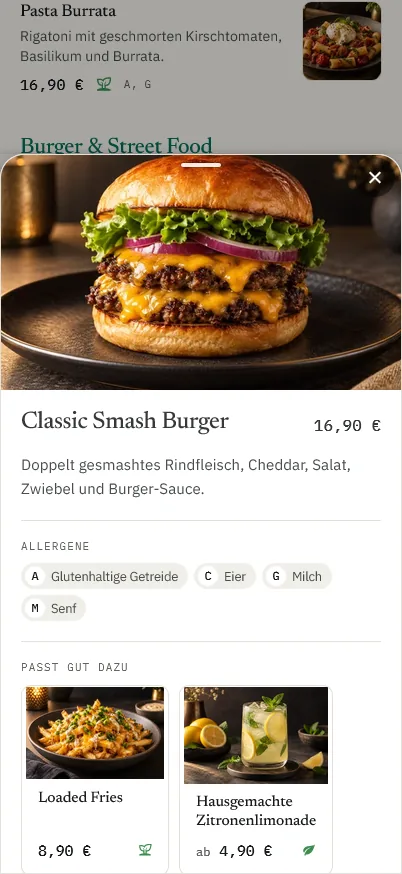
The QR code opens the restaurant's menu in the browser – optimised for mobile, in the guest's language and with matching recommendations.

  • Own address for each restaurant
  • Language chosen by the guest
  • Recommendations such as “Goes well with”
QR Table guest view on a phone showing a dish and matching recommendations

Ordering at the table

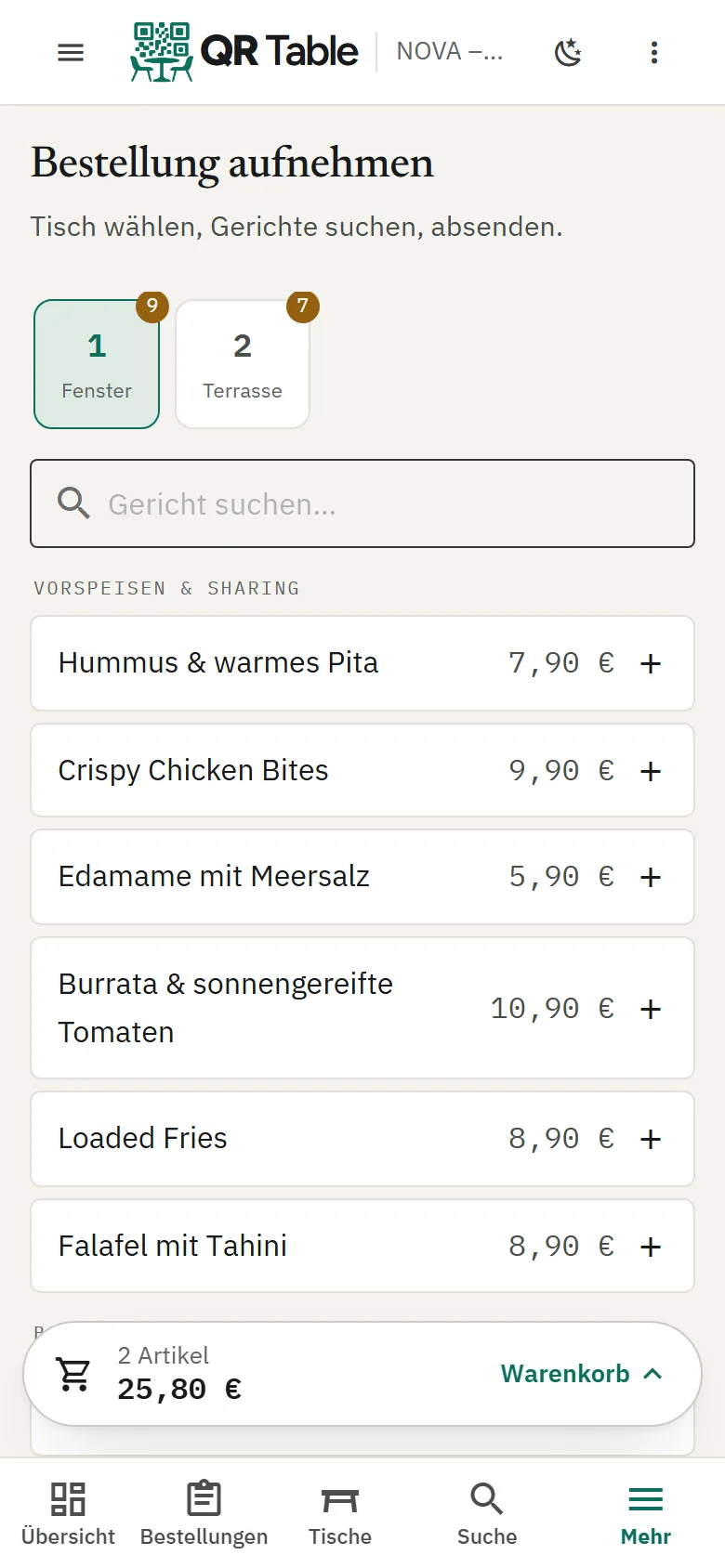
Order taking on the phone

The team takes orders on their phone. With the Komplett package, guests can also order themselves via the table QR code; payment is made on site with the staff.

  • Waiter order taking on the phone
  • Guests order themselves (Komplett package)
  • No online payment, no commission
Waiter order taking in QR Table on a phone with the basket bar

Kitchen

All orders on the kitchen board

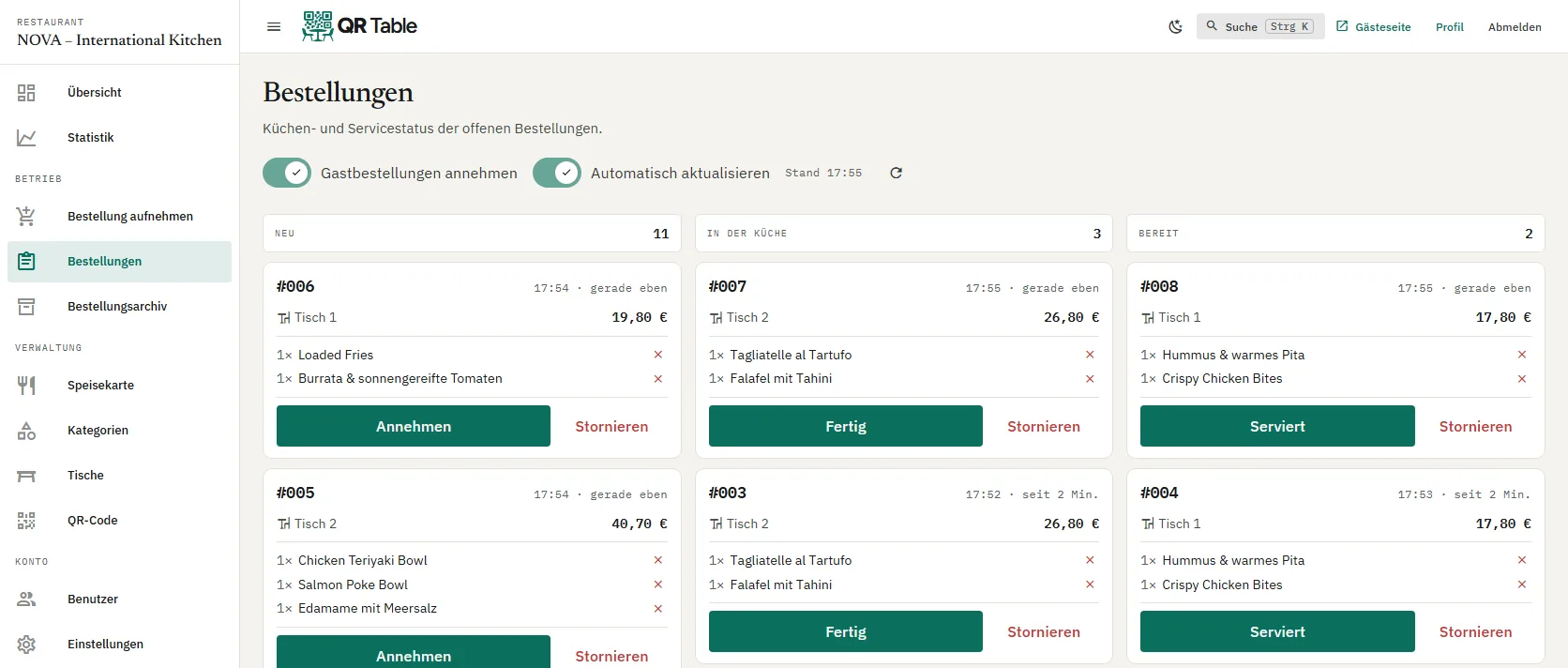
New orders appear on the kitchen board and move from “New” to “In the kitchen” to “Ready” – with cancellation and archive.

  • Status per order
  • Sound alert for new orders
  • Cancellation and order archive
Kitchen board in QR Table with the columns New, In the kitchen and Ready

Statistics

Revenue, trends and peak times

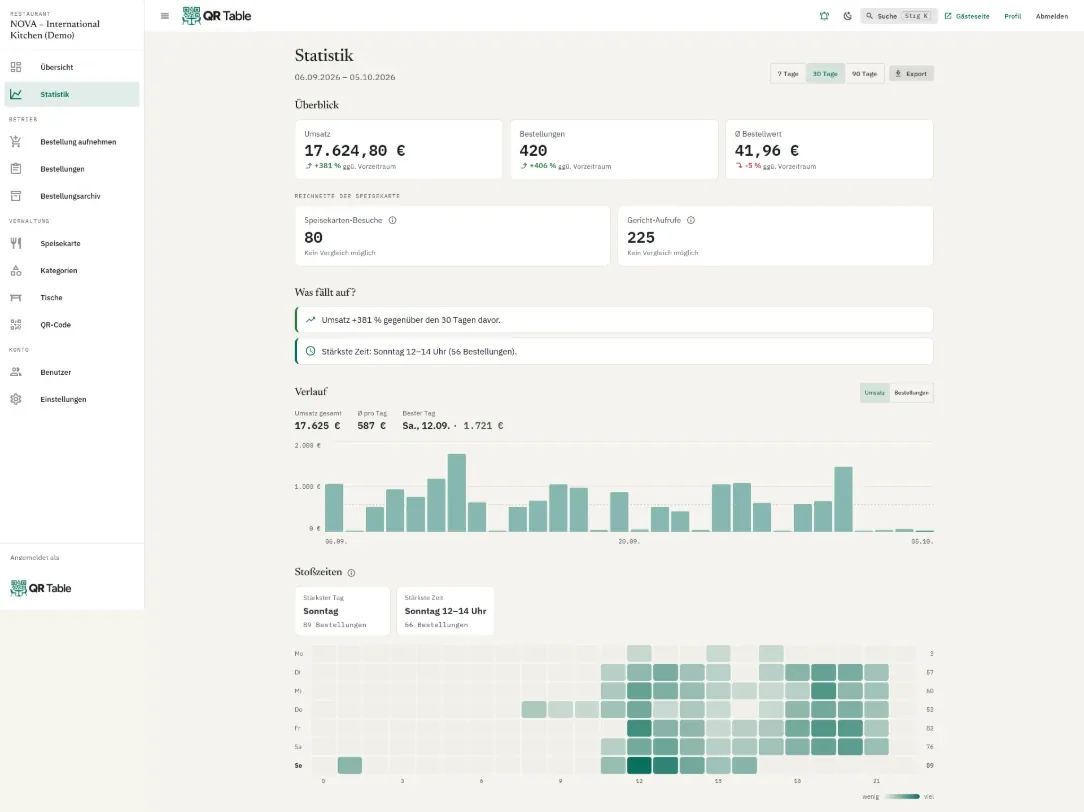
Every package shows visits and the most viewed dishes. Premium adds revenue, trends, peak times and export.

  • Visits and dish views
  • Revenue and trends (Premium)
  • Peak time overview (Premium)
Premium statistics in QR Table with revenue, trends and peak times

QR Table

Is QR Table right for you?

All details are available on qr-table.at. For a personal assessment, a short message is all it takes.